Does downloadable gear CAD include manufacturing-ready tooth profiles?
- Share
- Issue Time
- Oct 21,2026
Does downloadable gear CAD include manufacturing-ready tooth profiles?
Not necessarily. Downloadable gear CAD may show an envelope or approximate tooth shape for assembly layout rather than the exact geometry needed for manufacturing. Check the provider’s stated purpose and request an approved tooth definition when production depends on it. File format alone does not establish accuracy, tolerances, root geometry or the intended mating conditions.
Confirm what the model is intended to represent
An assembly model may be sufficient to check overall space, shaft positions and mounting interfaces while simplifying the teeth. Do not infer machining suitability from a smooth-looking solid or the presence of individual teeth. Read the model’s limitations and ask the supplier which features are controlled.
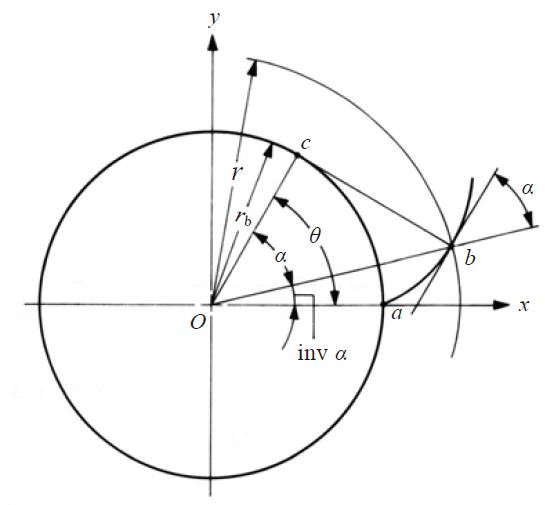
An involute flank has a defined geometric construction, illustrated here. A faceted outline or a visually similar curve is not automatically that construction within a specified tolerance. Request tooth-profile data separately if it is not included in the supplied CAD package.
Keep the tooth definition with the approved drawing
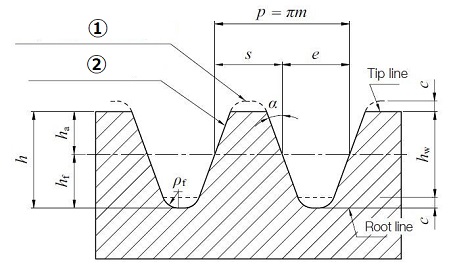
Provide tooth count, module or diametral pitch, pressure angle, profile shift where applicable and the required tooth thickness or backlash basis. Define tip and root geometry, face width, any modifications, datums and accuracy requirements. Include the mating gear and operating center distance.
The PairGears custom gear drawing checklist helps organize this information. Agree whether the drawing, a controlled 3D model or a specified combination governs manufacture, and resolve any conflict before release. A STEP, DXF or STL extension by itself does not settle that question.
Verify imported geometry and the finished tooth form
For example, when using a downloaded model as the starting point for a replacement, first confirm units, scale, model revision and whether the tooth flanks and roots are exact, approximated or omitted. Do not silently convert a layout model into the manufacturing master.
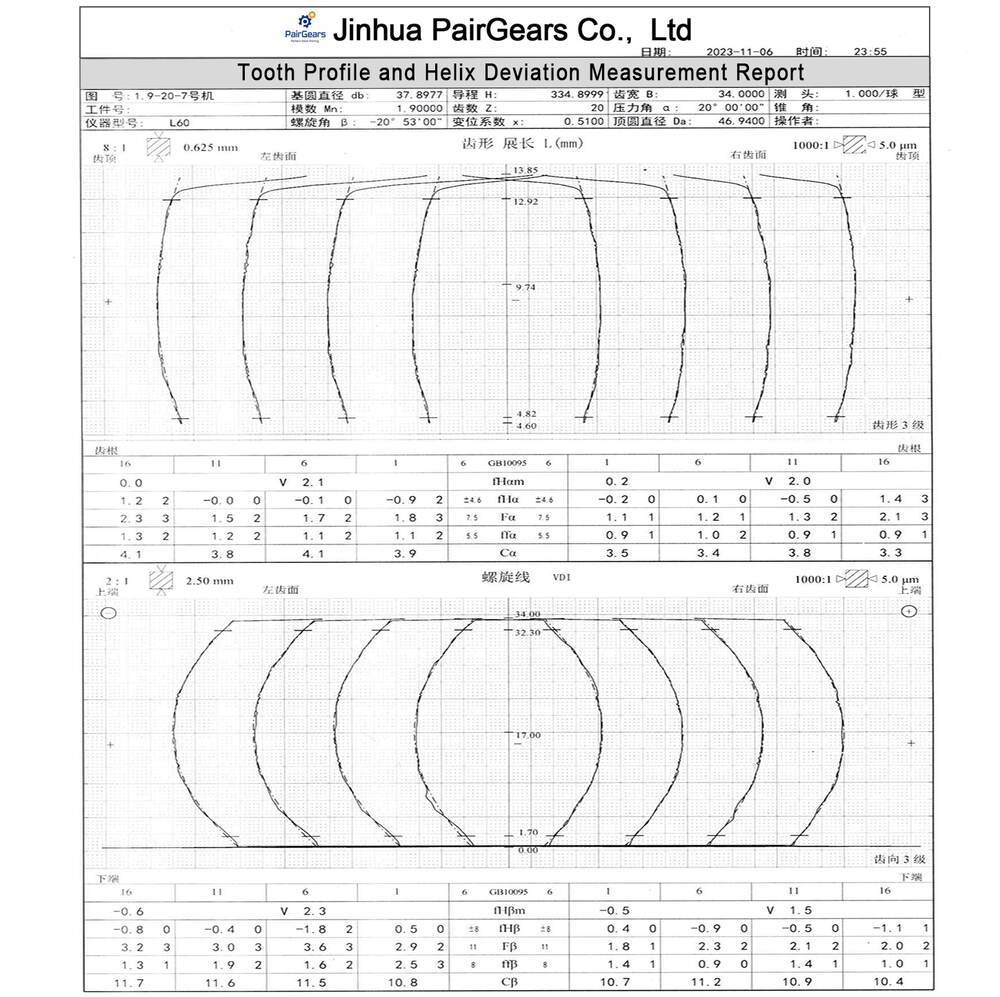
Have the supplier confirm the production data and inspection method. Finished-part profile, lead and pitch measurements should be evaluated against the approved specification, rather than against the model’s appearance. PairGears CAD deliverables and any exact tooth data should be agreed for the specific project; a general downloadable model is not a blanket accuracy guarantee.